
1. Introduction.
On the thank-you page (message after participation) or in the personalized email, which you can configure in your campaigns, you have the possibility to indicate to the participant how many points they have obtained, as well as other information related to their participation.
Below, we show you which variables related to points there are and how to include them.
If you want to know all the variables, not only those related to points, supported by the after-participation page or the email sent to the participant, check out the tutorial: Advanced customization of a campaign using variables.
2. Variables related to points.
2.1. Global points of all the user's participations.
The variable that allows you to show the user the global score they have obtained is {{{ global_points }}}. This is the one you should always use by default.
If you only allow one participation per user, the global_points variable will encompass total_points + referred_points.
In campaigns with multiple participations, global_points will encompass the sum of each total_points of each participation + referred_points.
The variable that shows the points obtained through referrals, across the whole campaign, is {{{ referred_points }}}. For this to work, you must have configured the viral ranking and assigned points for getting a referral.
If you also want to indicate the number of referred users the participant has recruited, include the variable {{{ referred_count }}}.
In addition, with the variable {{{ participations_per_user }}} you can indicate the number of times the user has participated in the campaign.
2.2. Points obtained each time a user participates individually.
The variable that shows the total points obtained by the user after each participation is {{{ total_points }}}.
The total score is the sum of:
{{{ quizz_points }}}: points obtained by answering the quiz correctly.
{{{ game_points }}}: points obtained through gamification (Memory Cards, Matching Cards...).
{{{ participate_points }}}: points earned just for participating. Only applies if you have configured the viral ranking and assigned points for participating.
{{{ votes_points }}}: points obtained by receiving votes in the participations.
Note that if you decide to assign points for participating, for example 100 points, and then you want to modify it, for example by giving only 50 points, the modifications are not retroactive. In other words, participations that had already obtained 100 points cannot be changed. Those participants will keep 100 points.
This is not the case when points for referrals are modified. In this case, they can be automatically updated and recalculated. The same applies to quiz points.
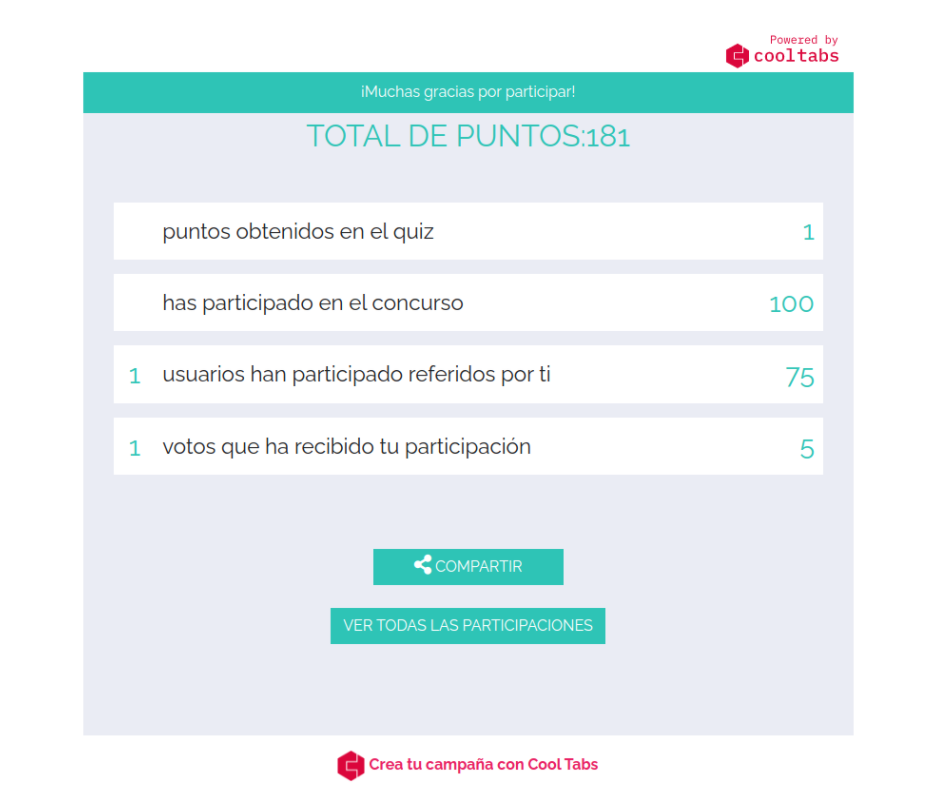
In the image below you can see an example of a thank-you page in which some of these variables have been configured: global_points, quizz_points, participate_points, referred_count, referred_points, votes_count and votes_points.
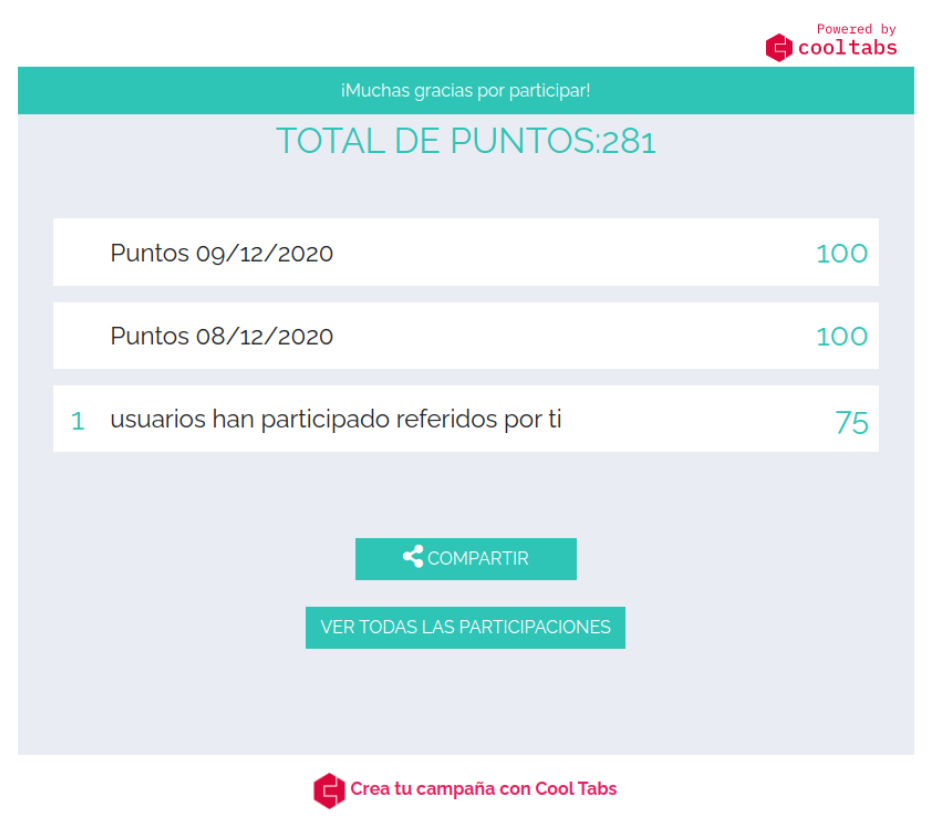
In this other image, you can see an example of a thank-you page from a multi-participation campaign, where users can participate multiple times, in which the variables global_points, total_points for each day of participation, referred_count and referred_points have been configured.
3. Related content.
Advanced customization of a campaign using variables.
If you have any questions, contact us at help@cool-tabs.com.