
How to access campaign data in Google Analytics
1. Introduction.
When you set up a campaign, you can add tracking and conversion tags to find out how much traffic it is receiving in Google Analytics. You can also add a campaign identifier to the URL so that you can easily filter this data.
To do this, go to the 'Tags and cookies' section of your campaign settings. If you have not configured your tags yet, see this tutorial: How to configure tracking and conversion tags for a campaign.
2. Step-by-step.
You have two options when accessing your campaign data in Google Analytics, using an identifier or not.
2.1. If you used an identifier.
In the 'Cookies & Tracking code' section of your campaign settings, add the corresponding tag and the identifier for your Analytics URLs. This way, you can filter by that identifier in Google Analytics.
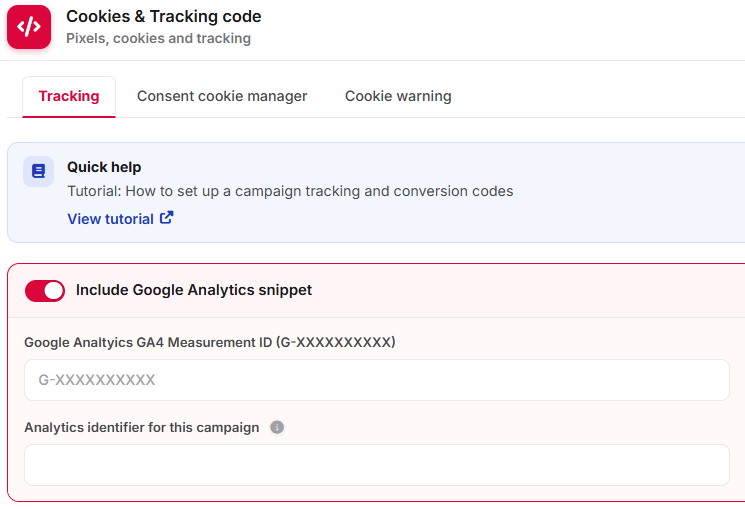
Once you have entered the tag and your campaign starts generating traffic, access your Analytics account and follow these steps:
1) Select the account and property.
2) In the side menu, go to Reports > Engagement > Pages and screens.
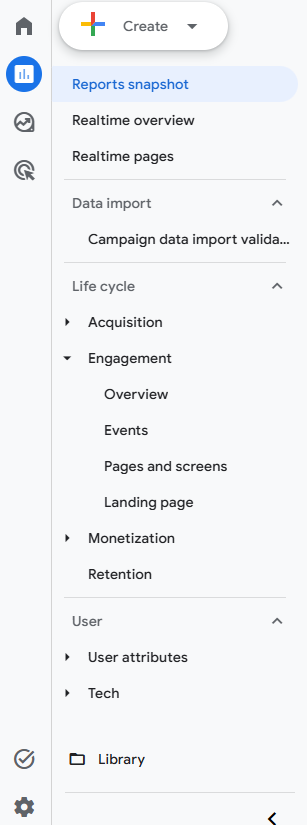
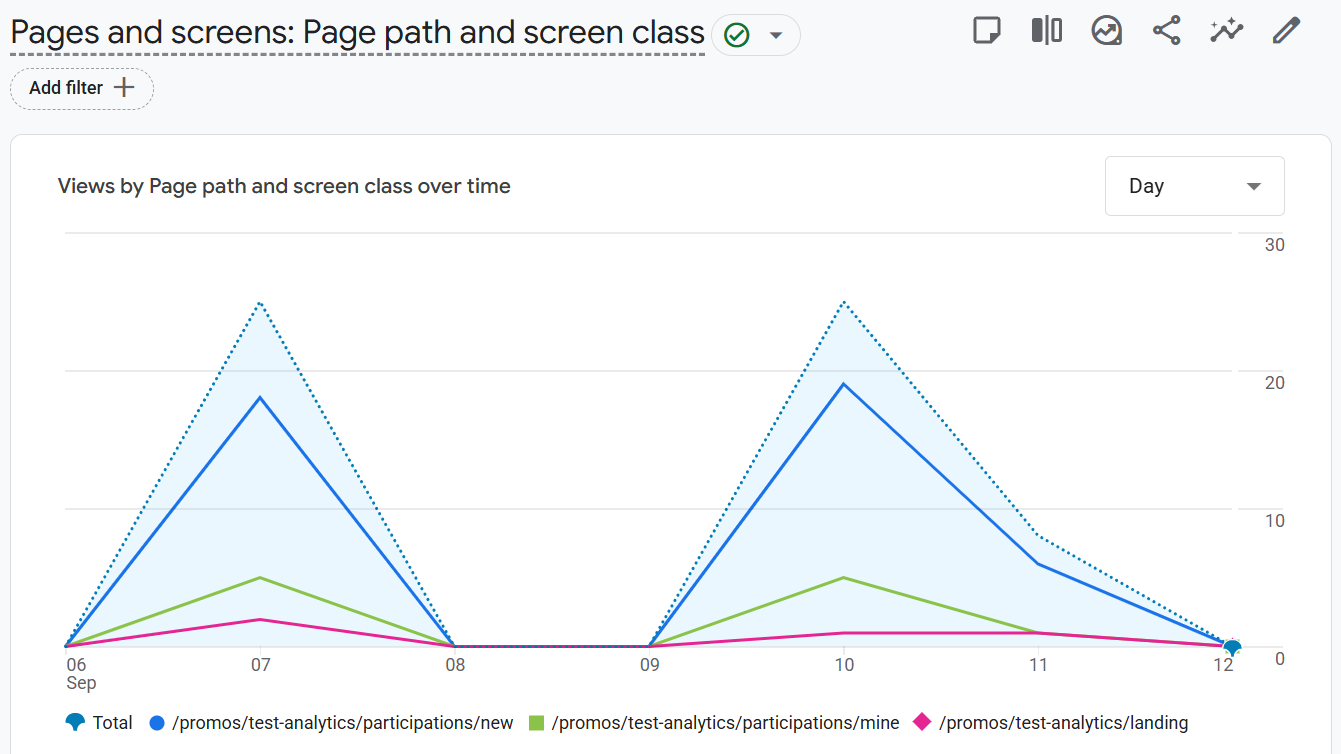
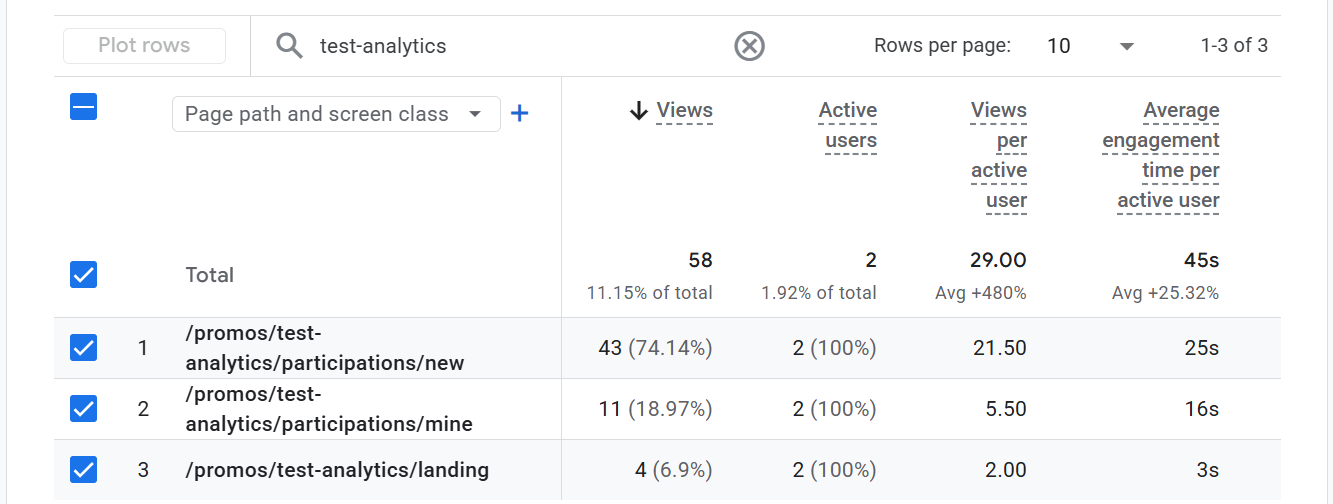
3) Filter by date and, in the search bar, enter the identifier you added in the 'Cookies & Tracking code' section. You will see the traffic corresponding to your campaign.
2.2. If you did not use an identifier.
If you did not add an identifier, you can filter by the unique identifier that each Cool Tabs campaign has, which you can find in the campaign's unique URL.
If you do not know how to obtain your campaign URL, see: How to access my campaign's unique URL.
For example, in this demo campaign (https://www.your-promos.com/widget/promos/nnoRj66), the identifier we would use to filter in Analytics would be nnoRj66.
Once you have located the identifier, follow the same steps described in the previous section.
3. Other specifications.
If you have any questions, contact us at help@cool-tabs.com.
4. Related content.
How to configure tracking and conversion tags for a campaign.
How to access my campaign's unique URL.