
1. Introduction
At Cool Tabs, we send our users reports with a summary of participants from all their campaigns.
2. Reports Available and When They Are Sent
You will receive:
On January 1st, a summary report for the previous year.
On April 1st, July 1st, and October 1st, a summary report for the previous quarter.
On the 1st of each month, a summary report for the previous month.
Keep in mind that all account users will receive a copy of the reports that are sent.
3. How to Receive These Reports
These reports are sent automatically, by default, to users:
With more than 30 pieces of content in their account.
With a Gold or Diamond plan.
With an active Cool Promo campaign within the date range.
4. How to Cancel
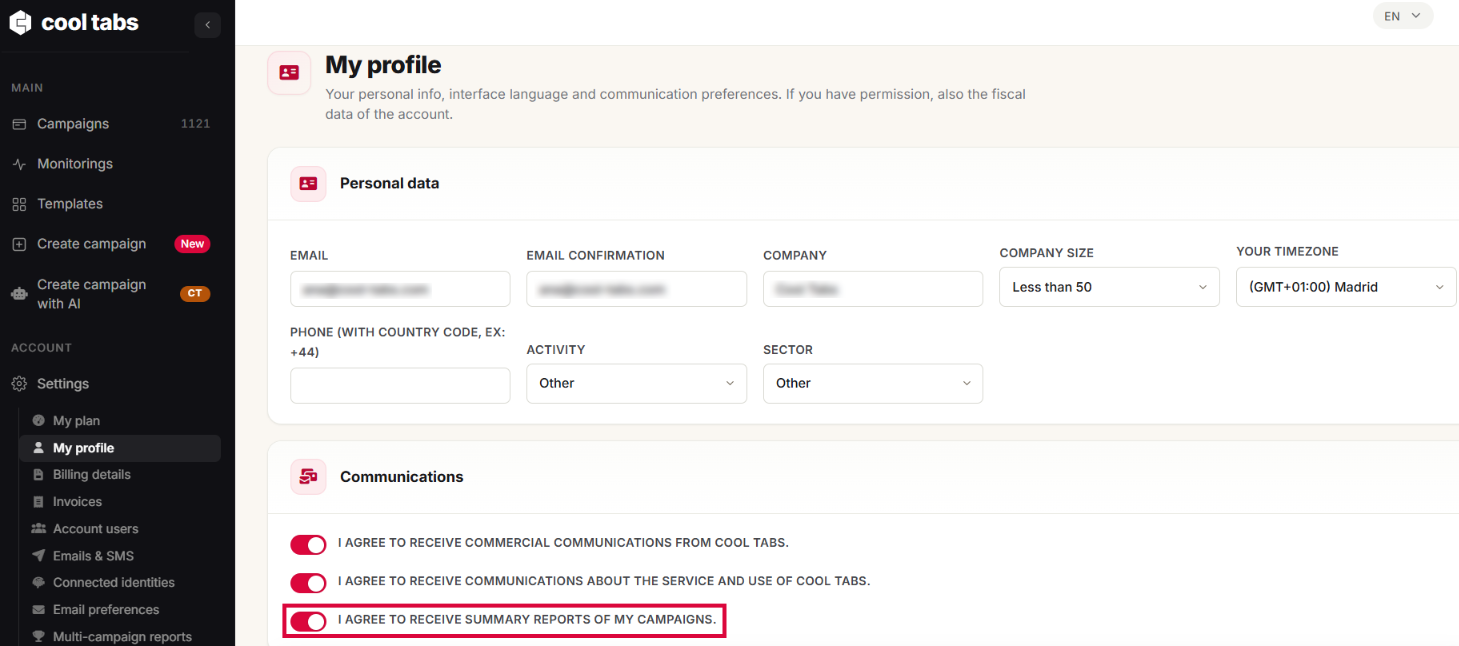
You can unsubscribe from these emails under "Your profile" > "Your user" > "Communications". Uncheck the box "I agree to receive monthly summary reports of my campaigns" to disable the option, then save the changes.
If you have any questions or issues updating your report preferences, contact us at help@cool-tabs.com.